
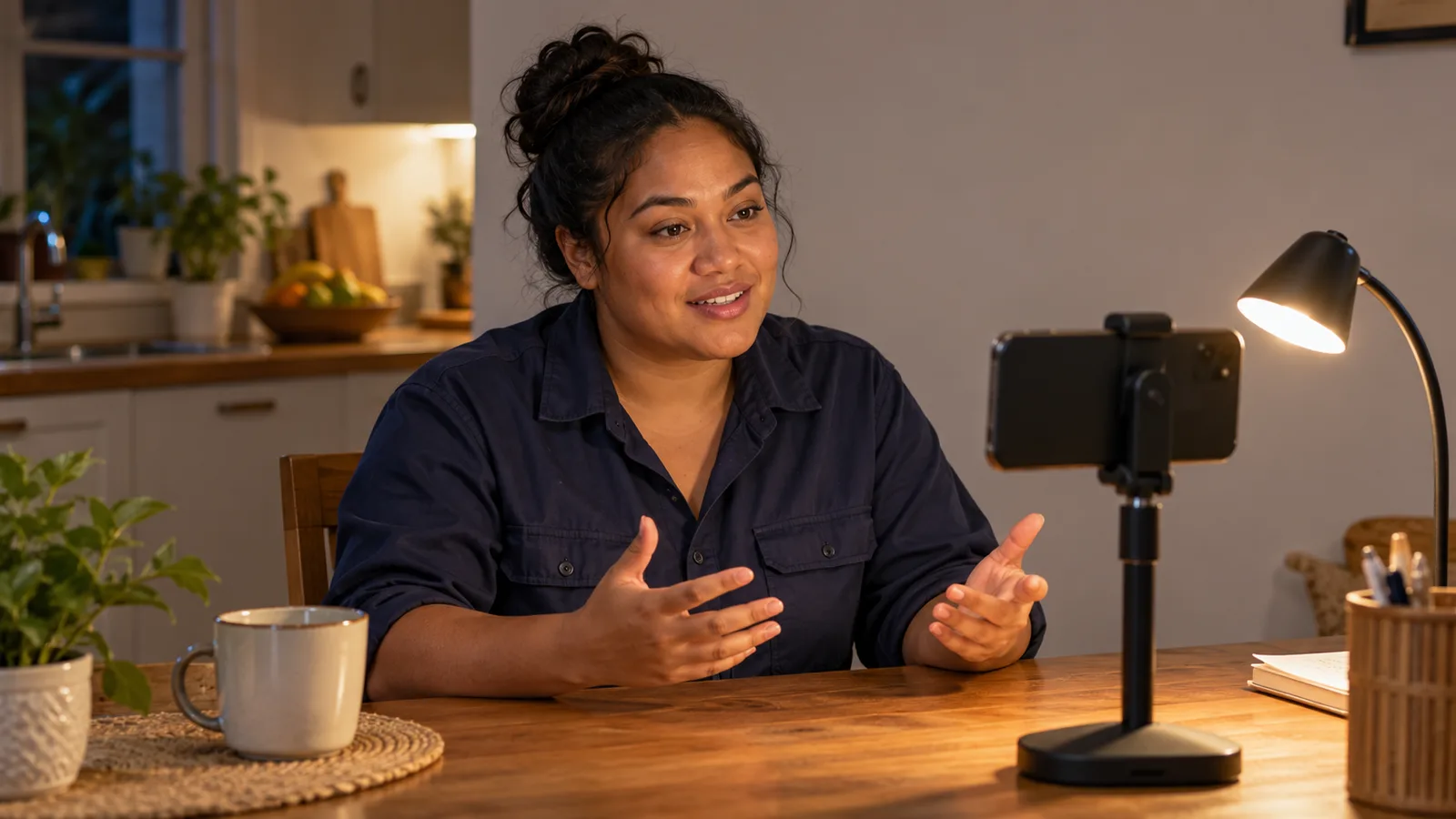
The video resume tips that matter most are simple: keep it under 2 minutes, plan a few key points instead of a speech, film on a steady phone with the light on your face, prove one skill with a real job, and close with a thank you and a way to reach you. Then watch it back, fix what you notice and send a private link with your written CV. The 12 rules below follow the order you will use them, from planning to pressing send.
A video resume, also called a video CV, is a short clip where you speak to an employer before you have met. The Australian Government's advice for job seekers on making a video resume says a well-made one can give you an edge over other candidates, but a poor one can work against you. The goal is a clear, honest minute about your work.
Plan it: rules 1 to 4
Rule 1: Choose the length first
New Zealand's government careers service, Tahatū Career Navigator, says video CVs are usually 1 to 3 minutes long. The Australian advice is stricter: time it and stay under 2 minutes, because attention drops after that.
For most trades, about one minute is plenty. If a job ad gives a limit, follow it.
Rule 2: Write points, not a speech
The Australian advice says to write your key points first and practise saying them aloud many times.
Five short points fit on a card. A sample card for a plumber:
- Name and trade.
- Years of work and the kind of jobs.
- One job I am proud of.
- My licence or ticket.
- Thank you, and where to find my details.
Rule 3: Prove one skill with one real job
The Australian advice says a video resume should introduce you and sum up your relevant education, experience and achievements. Tell it with STAR, the method the same advice recommends for behaviour questions: Situation, Task, Action, Result.
An example for a welder: "On a factory job in [city], a steel frame cracked before a delivery. My task was to fix it before the next shift. I cut out the bad weld, prepared the joint and welded it again. The frame passed inspection and the delivery went ahead."
Rule 4: Fit each video to the job ad
The Australian advice says to write a new application for each job, using the same keywords the employer uses. Change the line about why you want this job, and pick the proof story that fits the ad.
For ready-made wording by trade, see our tell me about yourself answers for tradespeople and the 60-second introduction scripts.
Set up the shot: rules 5 to 8
Rule 5: Put the light in front of you
A window behind you turns your face into a shadow. The Australian advice suggests a window behind the camera, so daylight falls evenly on you. The UK's National Careers Service adds that a lamp works when daylight is poor.
If you wear glasses, the Job Jumpstart video interview checklist from the Australian Government says to change the room lighting until the glare on your lenses goes.
Rule 6: Fix the sound before the picture
The Australian advice says the audio should be clear, with no background noise.
Turn off the radio and the fan, shut the door, and film when the compressor or the saw is off. Put the phone on silent and close other apps first. Record ten seconds and play it back before the real take.
Rule 7: Keep the frame simple and still
The Australian advice has three camera points: hold the phone sideways (landscape), because it is easier to view; put the lens just above your eye level, tilted down a little; and never film from below. Job Jumpstart adds that your head and shoulders should sit in the centre of the shot.
Tahatū says to keep the phone steady by propping it up or using a tripod, and to film against a tidy background in a quiet, well-lit place. A plain wall is safest. You do not need new gear: the Australian advice says your phone camera should work well.
Rule 8: Dress for the interview, not the job site
The Australian advice says to wear what you would wear to an in-person interview. The National Careers Service suggests smart, plain clothes that do not distract on camera, and no heavy or noisy jewellery.
When you are not sure, Australian job-seeker advice says it is better to dress a bit more formally than too casually.
Film and send: rules 9 to 12
Rule 9: Talk to the lens, slowly
Job Jumpstart says to look at the camera instead, so your eyes line up with the viewer's. Tahatū says to speak slowly and clearly and keep eye contact with the camera.
Pause for a breath between your points. If English is your second language, clear beats perfect: our guide to speaking confidently on camera has simple practice drills.
Rule 10: Close with thanks and one way to reach you
Tahatū gives a clear order for a video CV: introduce yourself and say why you made the video, explain why you are right for the job, then thank the employer and give your contact details.
An example closing for an electrician: "Thank you for watching. My phone number and email are in my CV, and I can join a video call any weekday." Scamwatch advises care with personal information such as your address and date of birth in a resume, and says never to send your passport or identity documents unless you are certain an employer is genuine.
Rule 11: Watch it back, ask one person, then trim
The Australian advice says to do as many takes as you need, ask a friend for feedback and edit the video before uploading. The Australian Government's Job Jumpstart page on preparing for video and phone interviews also suggests recording yourself and watching it back to see how you look on screen.
To cut a slow start or a long goodbye, Google Photos Help says you can open the video on Android, drag the trim handles to the part you want and tap Save to keep an edited copy. Before you send it, run the video past our list of self-introduction video mistakes.
Rule 12: Share a private link, with your CV beside it
The Australian advice suggests uploading to YouTube with the privacy set to unlisted, so the video does not show in search results, and notes you can add captions.
Tahatū says a video CV does not replace a written CV. Send both, and make them tell the same story; our comparison of a video CV and a paper CV shows what each one does. If your written CV needs work, Build AI CV can help you draft it; check every line is true.
Job hunting in Australia or New Zealand? You can search jobs that mention visa sponsorship and send your link only to employers you have checked.
The 12 video resume tips at a glance
| Rule | What to do | Quick check |
|---|---|---|
| 1. Length | About one minute, always under 2 | Time a full practice run |
| 2. Points | Five key points on a card | Can you say them without the card? |
| 3. Proof | One real job, told with STAR | Does it end with a result? |
| 4. Fit | Use the job ad's own words | Is the "why this job" line new? |
| 5. Light | Window or lamp in front of you | Is your face brighter than the wall? |
| 6. Sound | Quiet room, phone on silent | Play back ten seconds first |
| 7. Frame | Sideways, lens just above eye level | Head and shoulders centred? |
| 8. Clothes | Interview clothes, plain colours | Nothing shiny or noisy |
| 9. Voice | Eyes on the lens, slow pace | Pauses between points? |
| 10. Ending | Thanks, then where your details are | No address or ID on screen |
| 11. Review | Watch, get feedback, trim | Did one person watch it all? |
| 12. Share | Unlisted link plus written CV | Link opens in a private window? |
A one-evening plan to make your video resume
- Read the job ad again and underline its key words.
- Write your five-point card.
- Say it out loud five times. Tahatū suggests practising in front of friends or whānau (family) for feedback before you film.
- Set up the room. Our guide to recording a self-introduction video on your phone covers the set-up in more detail.
- Record three takes and pick the best one.
- Watch with someone. Ask: Could you hear me? Did I look at the lens? What do you remember about my work?
- Trim, upload as unlisted and test the link. Then attach it to your application with your written CV.
How the SelfIntroVideo app helps with these steps
SelfIntroVideo is an Android app that is coming soon; it is not on Google Play yet, and an iPhone version will come later. It needs a Talent Tabloid account. The app writes a script of 90-160 words with AI from your profile's target role, skills and work experience, and you can edit it or write your own.
You can practise with the teleprompter at a pace from 100 to 180 words per minute, then record. The app aims for about 60 seconds and stops at 90, you can retake and trim, and "Set as Intro Video" sends the clip to your Talent Tabloid profile. See how SelfIntroVideo works or what it offers job seekers.
Common mistakes with video resumes
- Telling your whole career. Put the full history in your CV.
- Filming upright. Turn the phone sideways.
- Reading every word. Learn points, not a speech.
- Sitting with your back to a window. Turn around so the light falls on your face.
- Using a public link. Set the upload to unlisted so strangers cannot find it.
- Showing private documents. Keep your passport, visa papers and ID cards away from the camera.
- Sending the video alone. It goes with your written CV, never instead of it.
Frequently asked questions
How long should a video resume be?
Australian government advice for job seekers says to time your video resume and keep it under 2 minutes. Tahatū Career Navigator says video CVs usually run 1 to 3 minutes. For most trade and skilled jobs, about a minute is enough, and an employer's own limit always comes first.
Should I read my video resume from a script?
Not word for word. The Australian advice is to write your key points first and say them aloud many times, so you sound professional rather than read out. A card of five points keeps your voice natural.
Can I film a video resume on an old phone?
Yes. The Australian advice says you do not need expensive equipment, because a phone camera should work well. Turn the phone sideways, prop it up so it stays still, and put the light in front of you.
Where should I upload my video resume?
The Australian advice suggests YouTube with the privacy set to unlisted, so the video does not show in search results, and says you can add captions. Send that link with your written CV, and keep your passport, home address and date of birth out of the video.
Is a video resume worth it for a trade job?
It can be. Tahatū says a video CV suits applications where you want to show how you present and communicate, but suggests a written CV alone if a video does not fit the job or you are not comfortable on camera.
Key takeaways
- Keep your video resume to about a minute and always under 2 minutes.
- Plan five key points and one real proof story, and change the "why this job" line for each ad.
- Light in front, quiet room, phone sideways and steady at eye level.
- End with thanks and where your details are, never your address or ID.
- Share an unlisted link together with your written CV.